How to Flatten a PDF Document or Form

Rev. 02/08/2024

All PDF documents (especially fillable forms) must be locked or "flattened" before uploading the document in the CM/ECF system. 

The flattening process ensures that the document contents are viewable on any device.

Instructions after the PDF document is created.

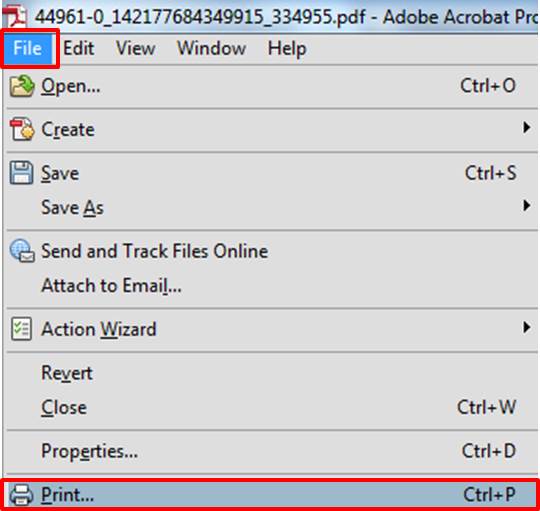
Select File > Print
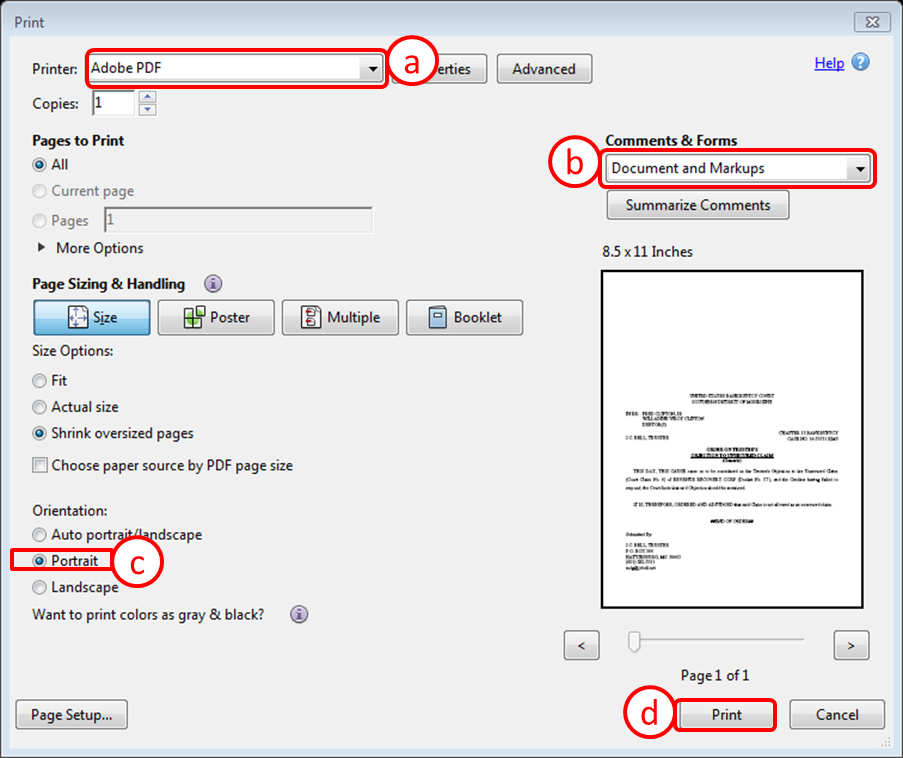
  1. Printer: Select Adobe PDF
  2. Comments & Forms: Select Document and Markups
  3. Orientation: Select Portrait
  4. Click Print


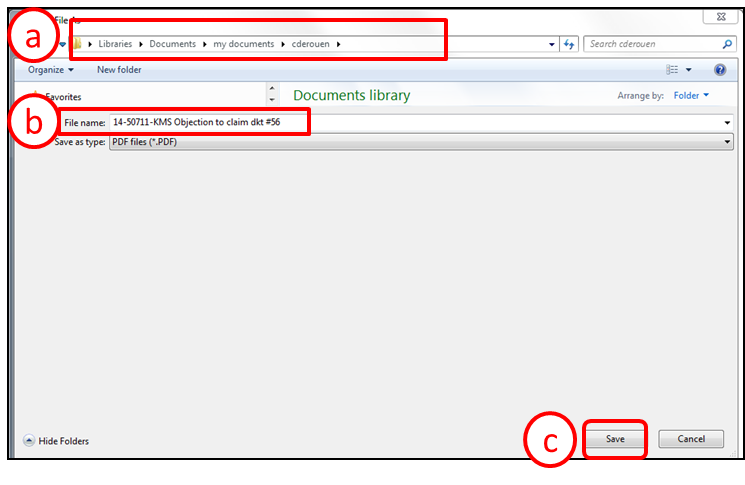
  1. Navigate to the appropriate location to save the "Flattened" document.
  2. Specify the name of the file in the File Name Field.
  3. Click Save.


Disclaimer: All information provided on this web site is for informational purposes only and does not constitute legal advice. Information on this web site is subject to change without prior notice. Although every reasonable effort is made to ensure the accuracy of the information presented, the content of this web site is in no way guaranteed. Any links to external web sites are provided as a courtesy and should not be construed as an endorsement of the content or views of linked materials. In addition, the Court does not endorse any particular software packages or other proprietary service provided relative to bankruptcy proceedings.


U.S. Bankruptcy Court    Southern District of Mississippi